XV Browser - Safe & Simple
- 4.7
- Rating
- 100.00K
- Installs
- Free
- Price

 Analysis by App-foxy
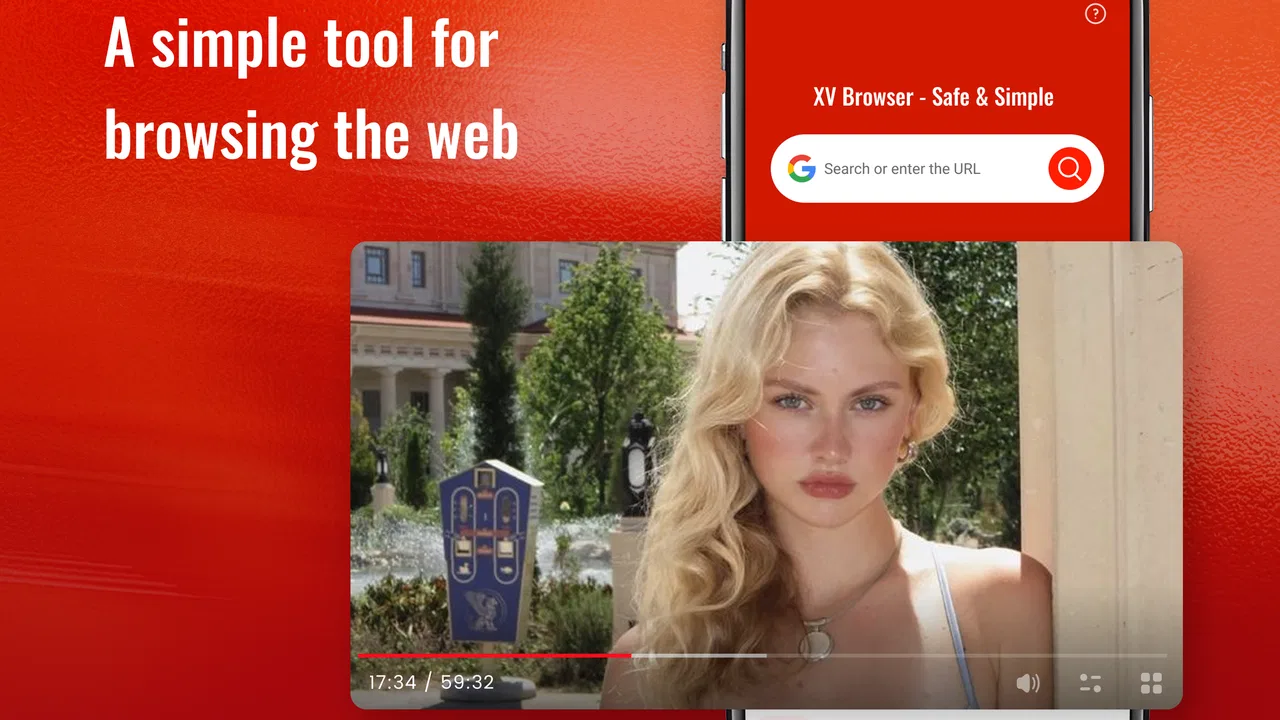
I approached XV Browser - Safe & Simple as a practical everyday browsing tool rather than a feature-packed replacement for every browser on a phone. Its appeal is easy to understand: it is free, aimed at people who want a straightforward way to browse the web, and available to users whose device runs Android 7.0 or later. In my experience, that combination makes it worth considering when the main goal is opening pages without turning the browser into another complicated system to manage.
The app comes from ZNS NexaHold and sits in the tools category. It has reached over one hundred thousand installs and holds a 4.6 average from around three hundred ratings, which suggests that its simple approach has found an audience. I would not treat those figures as proof that it will suit everyone, but they do make the app more interesting than an unknown experiment. The important question is whether its uncomplicated style matches the way you actually use the web.
What XV Browser feels like in everyday use
The first thing I noticed is that the app’s identity is deliberately narrow. It is not presented as a social platform, a news service, or a productivity suite with a browser attached. It is a browser first. That focus can be refreshing if you are tired of apps that place extra services, recommendations, accounts, or visual clutter around the basic act of visiting a website.
You May Also Like

 Blood Strike: 2.5 Anniversary
Blood Strike’s Loadouts Turn Every Drop Into a Tactical Gamble
A close look at Blood Strike’s custom loadouts: how fast access to signature weapons reshapes its battle royale rhythm, rewards preparation, and narrows the gap between fights.

 Pandora - Music & Podcasts
Pandora’s Music Is Easy to Start, but Harder to Recover
Pandora’s strength is its low-effort path from a seed to a station. Its weak spot is how much confidence it asks you to place in connection, setup, and quiet recovery.

 8 Ball Pool
 Is Built on Rivalries, Rematches, and Routine
A close look at the rivalries, rematches, shared routines, and unanswered safety questions that turn a quick pool match into a persistent mobile community.

 Samsung Music
’s Quiet Strength Is Playing What You Already Own
Its reach comes less from spectacle than from dependable access to a personal library. That simplicity is both the app’s strongest retention engine and its ceiling.

 AccuWeather: Weather Radar
AccuWeather Review: A Quick, Clear Forecast for Everyday Decisions
For everyday plans, the best forecast is the one you can understand quickly. AccuWeather makes rain timing, radar, and local conditions easy to act on, with a few trade-offs.

 Hill Climb Racing
Why Hill Climb Racing Still Turns Crashes Into One More Run
A tiny car, a bumpy hill and one more upgrade: Hill Climb Racing keeps resurfacing because its simple chaos makes every near-miss feel personal.
More From Our News Desk
View All News


For a typical task, the workflow is easy to understand: open the app, enter a web address or search for something, read the result, and move on. That sounds obvious, but it matters on a phone used by several people in a household, on an older handset, or by someone who does not want to learn a large collection of browser-specific controls. The straightforward design is the main reason I could recommend trying it.
There is also a useful distinction between “simple” and “limited.” A simple browser can be exactly right for checking a delivery page, looking up opening hours, reading an article, completing a basic form, or following a link sent in a message. A limited browser becomes frustrating when you expect advanced tab organization, deep synchronization, extensive customization, or sophisticated privacy controls. With XV Browser, I would make that distinction before deciding whether to keep it.
A practical fit for short browsing sessions
I found the app most convincing for short, focused visits. Imagine receiving a message with a link to a community notice. You want to open it, read the information, perhaps copy a phone number, and close the page. A browser built around a clean, direct experience can feel better for that job than a larger alternative filled with news panels, account prompts, and settings you never touch.
The same applies to a shared or secondary device. If a family tablet is mainly used to check school pages, public service websites, recipes, and local information, a simple browser may be easier for less technical users. The Everyone content rating also makes the app broadly approachable from an age-classification perspective, although parents should still make their own decisions about which websites children can visit.
On the other hand, I would hesitate to make it my only browser if my daily work depended on several open pages, frequent logins, complex web applications, or a carefully organized research workflow. Those situations usually reward mature browsers with a larger ecosystem and more established tools. XV Browser’s value comes from reducing friction, not from trying to win every comparison based on the number of available controls.
What the free price means for the decision
The app is free, so the basic value question is unusually simple: there is no purchase price to recover. You can try it without setting aside a budget, and removing it later does not leave you with a paid commitment to justify. That makes experimentation sensible, especially if your current browser feels too busy or performs poorly on your particular phone.
Free access does not automatically make an app the best choice. Your time, attention, and trust are also part of the cost. A browser that looks simple but does not fit your preferred browsing habits can still create daily irritation. I would therefore judge XV Browser by how quickly it lets you complete ordinary tasks, how comfortable its page handling feels, and whether it gives you enough control for the websites you visit most often.
There is no reason to buy it in order to unlock the basic idea described by its positioning. That is important for readers comparing it with paid browser products or premium versions of familiar browsers. Here, the financial advantage is clear: you can test the straightforward approach first and decide based on actual use rather than marketing promises or a trial deadline.
Value beyond the store description
The strongest value is not a special feature I can point to, but the way the app can act as a deliberately limited gateway to the web. I see three useful workflows emerging from that. First, it can serve as a “quick lookup” browser kept for searches that do not belong in your work or personal browser history. Second, it can be installed on a spare device where a full browser would feel unnecessarily heavy in everyday use. Third, it can give a less confident user a single-purpose starting point without asking them to understand a large settings menu.
That second-browser role is especially practical. I would not use it to replace every established browser immediately. Instead, I would place it beside the browser I already rely on, then send a few routine tasks through XV Browser for several days. This makes the comparison fair: not a theoretical contest, but a test of whether its uncomplicated approach saves taps and reduces distractions for the pages I actually visit.
Another useful tip is to judge it by the websites that matter to you, not by a generic browsing test. Try a public information page, a shopping page, a login screen, a long article, and a site with interactive controls. Some people need only readable pages and basic forms; others depend on advanced web applications. The right answer can change completely between those two groups.
Where it differs from familiar browser alternatives
Compared with a mainstream browser from a major platform, XV Browser is attractive mainly because it presents a more focused proposition. Established alternatives often offer broad account integration, synchronization across devices, mature tab systems, and years of compatibility work. Those benefits are valuable if your browsing follows you from phone to tablet to computer or if you keep a large collection of saved pages.
The trade-off is that a larger browser can feel like a complete online environment rather than a simple window onto the web. It may bring extra panels, account features, suggested content, and a long list of controls. If you already know that you never use most of those features, XV Browser’s narrower purpose may be more comfortable.
Compared with privacy-focused browsers, the comparison needs more care. A privacy specialist is usually chosen for clearly defined protections and detailed controls. XV Browser’s straightforward identity should not be mistaken for a guarantee of stronger privacy. If privacy settings, tracker management, isolated browsing, or transparent protection tools are your main reason for changing browsers, I would choose an alternative whose privacy features are central and clearly documented rather than assuming that a simple interface provides them.
Compared with a browser designed for power users, the likely advantage is lower mental overhead. Power-user browsers can be excellent for research, development, and heavy multitasking, but they often reward people willing to configure them. XV Browser makes more sense when you would rather open a page than tune a browsing workspace.
Trade-offs I would consider before keeping it
The first trade-off is depth. A clean browsing experience can be pleasant until you need a specialized function. If you regularly switch between many pages, move work between devices, rely on extensive bookmarks, or use web services that behave like desktop software, you should test those activities early. A browser that handles simple pages well may still be the wrong tool for a demanding workflow.
The second trade-off is confidence. The word “safe” in an app’s name can create expectations, but I would not use the name alone as evidence of a particular security or privacy standard. I would still follow normal habits: check addresses before entering sensitive information, keep the operating system updated, and avoid treating any browser as protection from unsafe websites. Simplicity is helpful, but it is not a substitute for careful browsing.
The third trade-off is familiarity. If you already have years of bookmarks, saved logins, synchronized tabs, and browser habits built around another product, switching may not save you anything. XV Browser is easier to justify for a fresh setup, a secondary role, or someone starting with modest needs. It is less compelling when the existing browser already feels comfortable and provides features you actively use.
I would also avoid judging it solely by its rating. A 4.6 average from around three hundred ratings is encouraging, and the app has passed the mark of one hundred thousand installs, but ratings compress very different use cases into one number. A person who wants a basic browser may be delighted, while someone expecting a full desktop-style toolkit may be disappointed. The rating gives useful context, not a personal guarantee.
Who is most likely to get real value?
I think XV Browser is best suited to people who want a free, uncomplicated way to open websites and search without committing to a large browser ecosystem. It may work well for an older Android phone, a spare handset, a shared tablet, or anyone who finds mainstream browsers visually overwhelming. It is also a reasonable candidate for a secondary browser used for quick searches and occasional links.
It could be a good starting point for a family member who does not want to learn advanced browser features. I would set it up, open several familiar websites, and ask whether the basic navigation feels clear. That hands-on check is more useful than explaining every possible browser function. If the person can find what they need without assistance, the app is doing its job.
People who should probably skip it are those who need a browser to function as a synchronized work hub. Researchers managing many sources, professionals using browser-based dashboards, users who demand detailed privacy controls, and anyone dependent on a particular browser extension ecosystem will likely be better served elsewhere. The free price does not change that mismatch.
Version, support expectations, and trying it safely
The current version is 5.0.1, and the app was released on January 23, 2026. It requires Android 7.0 or later, so compatibility is broad enough for many older devices while still excluding phones running earlier software. Before making it the default browser, I would test the pages you use for banking, work, shopping, messaging, and public services. That small trial can reveal more than a long feature list.
I would also keep the first test low-risk. Start with public pages and ordinary searches, then try sign-in pages only after the basic experience feels reliable. Notice whether text is comfortable to read, whether forms behave as expected, and whether returning to a previous page feels natural. These details decide whether a browser becomes part of your routine.
Because the app is free, there is little financial downside to trying it, but I would still avoid uninstalling your current browser immediately. Keep the established option available until you know whether XV Browser covers your essential tasks. That approach is particularly sensible if you depend on saved information or device-to-device continuity in your existing setup.
My buy-or-skip verdict
I would recommend trying XV Browser - Safe & Simple if your priority is a direct, low-pressure browsing experience and you do not need a large collection of advanced tools. Its free access makes the decision easy, its Android compatibility is reasonably broad, and its focused purpose can be genuinely useful on a secondary or shared device.
I would skip it as a full replacement if your browsing depends on synchronization, extensive organization, specialist privacy controls, or demanding web applications. In those cases, a mature mainstream browser or a purpose-built privacy browser is likely to deliver better value, even if its interface takes longer to learn.
My final view is favorable but measured: the app’s value is in restraint, not in feature quantity. ZNS NexaHold has positioned this tools app for people who want to browse without unnecessary complexity. If that describes your daily needs, the zero-cost trial is worthwhile. If you are looking for a browser that manages an entire digital workflow, choose a more specialized alternative instead.
FAQs for XV Browser - Safe & Simple
01What makes XV Browser stand out from other browsers?
XV Browser prioritizes user privacy and security by incorporating advanced features such as ad-blocking and anti-tracking technology. Unlike many other browsers, it provides a simple, clutter-free user interface that enhances browsing speed. Additionally, it offers customizable options that allow users to tailor their browsing experience to their specific needs.
02Is XV Browser available for both Android and iOS devices?
Yes, XV Browser is designed for both Android and iOS platforms, ensuring a seamless browsing experience across different devices. Users can download the app from their respective app stores, and it maintains consistent performance and features regardless of the operating system, making it a versatile choice for mobile browsing.
03How does XV Browser ensure user privacy and security?
XV Browser is built with robust security features, including end-to-end encryption, to protect user data. It blocks third-party trackers and malicious sites, preventing unauthorized access to personal information. Moreover, the browser frequently updates its security protocols to counter emerging threats, ensuring a safe browsing environment.
04Does XV Browser support extensions or add-ons?
Currently, XV Browser focuses on providing a streamlined experience without the need for extensions or add-ons. It integrates essential tools directly into the browser, such as ad-blocking and incognito mode, to maintain optimal performance and simplicity. Future updates may include support for additional features based on user feedback.
05Can I customize the user interface in XV Browser?
Yes, XV Browser offers various customization options, allowing users to modify themes, adjust font sizes, and organize bookmarks according to their preferences. This level of personalization helps users create a comfortable browsing environment tailored to their individual needs, enhancing overall user satisfaction.
Pros
- Intuitive interface for easy navigation.
- Strong privacy settings protect data.
- Fast browsing speeds; minimal lag.
- Ad-blocker improves user experience.
- Supports multiple tabs seamlessly.
Cons
- Limited customization options.
- Occasional crashes on older devices.
- Lacks advanced features for power users.
- No offline reading mode available.
- Limited support for third-party plugins.

XV Browser - Safe & Simple
Gallery